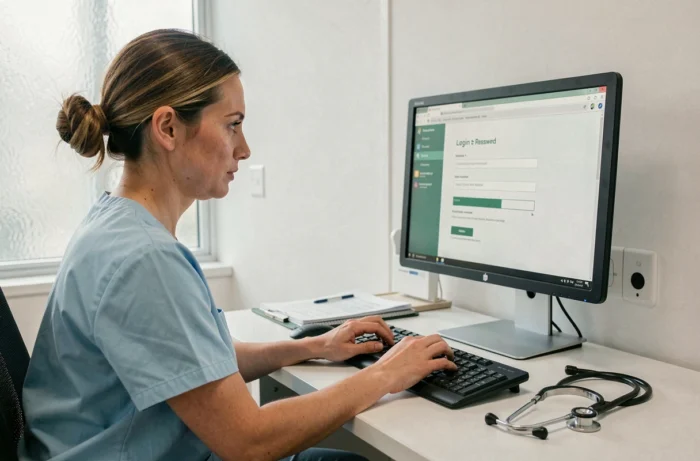
Medisysnet is a HR management and scheduling portal used by many organizations in the medical-social sector and home services. Access is based on a username/password pair provided by the employer or the establishment. When this password expires, the situation can block access to the schedule, personal space, and service information.
The reset procedure is not always clearly documented, and it varies depending on the type of account and the rights assigned by the organization.
Expired password on Medisysnet: why the portal blocks access
The expiration of a password on Medisysnet is not a bug. It results from a security policy enforced by the platform or by the organization that administers the accounts. In the health and personal services sector, the data handled (personal schedules, contact details of patients or families) impose enhanced protection standards.
The V2 portal, accessible via v2.medisysnet.fr, applies these rules on the server side. When the validity period of the password is reached, the connection is denied, even if the username remains correct. The user then sees an error message without always understanding the exact cause of the blockage.
One point deserves to be emphasized: expiration does not mean that the account is deleted. The data, schedules, and history remain intact. Only access is suspended while a new password is defined. This detail can reassure professionals who fear losing their service information. A detailed procedure is described on the Apss Santé website, with steps tailored to the V2 portal.

Resetting your Medisysnet password: the procedure depends on your organization
The reset process on Medisysnet does not work like a public service (like Gmail or Facebook) where a recovery link is automatically sent via email. Here, password management depends on the local administrator of the employing organization.
Most common case: request a new password from the administrator
The majority of Medisysnet accounts are created and managed by an HR manager or an IT administrator within the establishment. When the password expires, it is this person who can generate a new one or unlock the account. In practice, you need to contact your usual contact person (service manager, technical referent, HR secretariat) and request the reset.
This operation is explained by the variable permissions according to profiles. An employee on a home visit, a health manager, and a family member of a beneficiary do not have the same access rights. The administrator verifies the identity of the requester before reassigning a password, which constitutes an additional layer of security.
When the V2 portal offers an online option
Some configurations of the V2 portal display a “forgot password” link on the login page. If this link appears, it redirects to a form that sends a reset email to the address associated with the account. Two conditions for it to work:
- The email address registered in the account must be up to date and accessible. If the establishment has provided a professional address that the employee no longer has access to, the recovery link will never arrive.
- The feature must be activated by the organization’s administrator. Not all configurations offer it, which explains why some users simply do not see this option.
- The reset link has a limited validity period. If the email is not processed quickly, you will need to start the procedure from the beginning.
If no recovery link appears on the login page, going through the administrator remains the only option. Do not look for a hidden form: it does not exist on all instances of the portal.
Common errors that prevent login after reset
Even after obtaining a new password, reconnecting may fail. Several causes recur regularly.
The first is using the wrong portal address. The old interface (v1.telegestion.fr) and the V2 version (v2.medisysnet.fr) still coexist for some establishments. A password reset for V2 will not work on the old URL, and vice versa. The correct address is the one provided by the employer or the one displayed in the initial welcome email.
The second cause is the browser cache. Browsers often store old credentials. If the “password” field automatically fills with the old expired code, the connection fails. Clearing the cache or using a private browsing window resolves this issue in most cases.
Third point: input on mobile via the Medisys app (available on Android). The phone’s keyboard may add an automatic capital letter or a space at the end of the password, which invalidates the input. Disabling auto-correction before typing the password avoids this error.

Choosing a Medisysnet password that won’t cause problems
Once access is restored, the choice of the new password determines the duration before the next expiration and the ease of daily login.
The CNIL updated its recommendations in 2022: it no longer recommends the systematic periodic change of passwords for standard user accounts. The logic has changed: a long and unique password, not reused on other services, offers better protection than a short password renewed every month. Some organizations have not yet aligned their Medisysnet security policy with this evolution, hence frequent expirations.
To limit blockages, two approaches work:
- Use a passphrase (three or four unrelated words, separated by a special character) rather than a traditional password. The length compensates for the complexity, and memorization is more natural.
- Store the password in a dedicated manager (Bitwarden, KeePass) rather than in the browser. The manager automatically fills in the field without the risk of erroneous input on mobile.
- Never reuse the Medisysnet password on another online service. In case of a data breach on a third-party site, the professional account remains protected.
If the organization still requires periodic renewal, noting the expiration date in a calendar reminder allows anticipating the reset before complete blockage.
The Medisysnet portal remains a daily tool for healthcare professionals and families. Maintaining smooth access primarily involves the right reflex: identify your local administrator and ensure that the email address of the account is always valid. These two points resolve the vast majority of expired password situations.