
A sitemap, in the context of an online fashion accessories store, is a page that hierarchically lists all the site’s categories, subcategories, and pages. It serves both visitors looking for a specific product and search engines indexing the content. For a catalog featuring jewelry, bags, scarves, belts, and sunglasses, the clarity of this structure directly determines how quickly visitors can find what they’re looking for.
Faceted navigation and fashion accessories: the trap of unnecessary URLs
Most accessories stores offer filters that can be combined, such as material, color, type of jewelry, occasion, and price range. Each filter combination can generate a separate URL. In an accessories catalog, these combinations quickly multiply: “earrings + gold + evening” creates one URL, while “earrings + silver + everyday” creates another.
The problem arises when search engines can crawl all of these URLs. Google recommends managing this faceted navigation carefully: use a consistent filter order and return a 404 response for any combination that produces no results. Without this discipline, the sitemap becomes cluttered with empty or near-identical pages, diluting the visibility of the actual categories.
A well-structured sitemap therefore distinguishes useful editorial pages (such as the “Silk Scarves” category) from filter combinations with no standalone value. In practice, when exploring the Accessoires Mode sitemap, you can see this approach at work: the main categories are easy to find, without being buried under filter variations.

Categorizing accessories: organize by use, not just by type
The most common approach is to classify accessories by item type: bags, jewelry, hats, and scarves. This has one drawback: visitors looking for “an accessory for a wedding” have to browse each category one by one.
A more effective structure combines accessory type with occasion or style. Three levels are enough to cover an accessories catalog without creating excessive depth:
- Level 1: accessory type (jewelry, leather goods, textiles, eyewear)
- Level 2: functional subcategory (necklaces, bracelets, rings for jewelry; handbags, clutches, card holders for leather goods)
- Level 3: cross-category tags accessible from the sitemap (occasion, material, color), which lead to curated selections without multiplying filter URLs
An easy-to-navigate sitemap has no more than three levels of depth. Beyond that, visitors lose their bearings, and search engines struggle to understand the hierarchy.
Making the shopping journey accessible: more than just appearance
Since June 28, 2025, the European Accessibility Act has applied to certain e-commerce services, among others. For a fashion accessories store, compliance involves more than choosing contrasting colors or legible fonts. Categories, filters, and checkout controls must be keyboard-accessible and compatible with assistive technologies such as screen readers.
The sitemap plays a direct role in accessibility. Visitors using screen readers often navigate through a page’s list of links. When the sitemap uses descriptive labels (“Silver Rings,” “Evening Bags”) rather than generic ones (“Category 1,” “See more”), navigation becomes genuinely usable.
The scope of this regulation and any exemptions depend on each business’s circumstances and national rules, but the underlying principle remains the same: a clear sitemap benefits both accessibility and SEO.
Mobile filters and a visible summary
On mobile, filters remain a well-documented pain point for online stores. Limited screen space means sorting options are often hidden behind a button, making it easy for visitors to forget which filters are active. For fashion accessories, where relevant criteria vary widely (material for jewelry, size for a belt, shape for eyewear), a visible summary of active filters prevents frustrating back-and-forth.
The sitemap, accessible from the footer or menu, then serves as a safety net: when filters lead nowhere, visitors can start again from a clear category.
Search experience on an accessories site: what the sitemap cannot replace
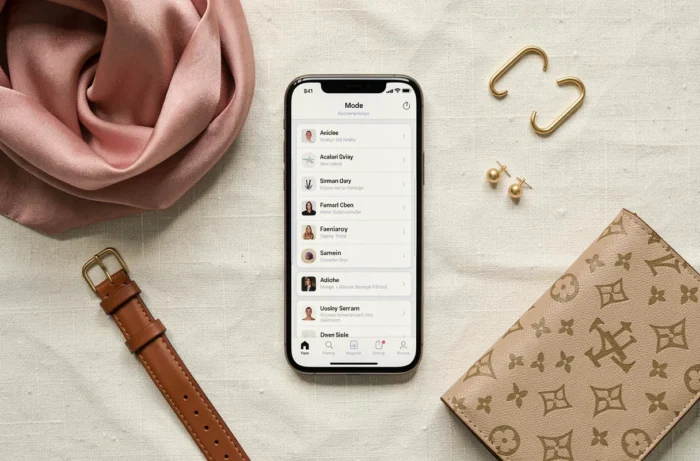
A sitemap organizes browsing by category, but it does not serve visitors who type “gold choker necklace” into the site’s search bar. These two browsing methods complement each other; they are not interchangeable.
The search bar handles open-ended queries. The sitemap supports guided discovery. In an accessories catalog, guided discovery has a particular advantage: it introduces visitors to categories they might not have thought to search for. Someone who came looking for a scarf might notice a section on brooches or hats in the sitemap.
For these two methods to work well together, sitemap labels should use the language shoppers actually use. “Fashion jewelry” rather than “non-precious jewelry.” “Crossbody bags” rather than “cross-shoulder bags.” Sitemap terminology should match the search terms shoppers use.
A well-organized fashion accessories catalog depends on this balance between a visible structure and open-ended search. The sitemap remains the only place where the entire catalog architecture can be seen at a glance, making it a navigation tool in its own right—not just a technical requirement.